Integrations, MCP & workflow automationOwn product
Leads Scattered Across Site, Email, Marketplace and Telegram: One Inbox Into a CRM With AI Drafts
I connect approved lead sources to one review queue and a CRM. The source stays attached, AI prepares a draft and a person decides what to send.
- For
- Agencies and solo practices handling leads across several channels
- Checked
Sounds familiar?
Tick what applies to you
How I solve it
What I build
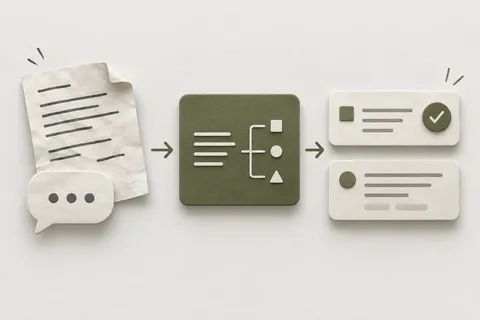
I build one review queue for the sources we can legitimately connect. Each lead keeps its original source, receipt time and conversation reference. I add duplicate checks, an owner and a clear next step, then sync the agreed fields to your CRM. AI can summarise the request and draft a reply. A person reviews the draft and decides what leaves the system.
The process
How it works
6 steps. Scope and a fixed price are agreed before the first one.
-
Map the site form, mailbox, marketplace and Telegram routes, including the permissions available for each.
-
Define one lead record with its source reference, contact fields, owner and review state.
-
Capture accepted messages through supported interfaces or an agreed manual import. Record failures rather than dropping them.
-
Match records using agreed keys. Keep uncertain duplicates for a person to resolve.
-
Prepare a summary and reply draft with the source beside it. Approval is explicit; an imported message cannot authorise sending.
-
Sync approved CRM changes through a retryable queue and show which records are pending, accepted or failed.
Handover
What you get
- A shared queue with a source and owner for each lead.
- CRM records linked to the source conversation.
- Reply drafts and a visible human approval step.
- A failure queue and a runbook for retrying intake or CRM sync.
Built with
- Supported channel adapters
- a durable intake store
- duplicate matching rules
- an AI drafting step
- a human review queue
- a CRM adapter
- a retryable sync outbox
- access controls and backups
Proof
Done before, with dates and numbers
Own product Built and run by me, in production.
Before → after
My own practice has separate intake and integration components: marketplace tooling, a messaging pilot, supervised business-system tools, an inbound conversion backend and a self-hosted CRM deployment. The messaging and marketplace pilots have sending disabled. The intended next step is to join the agreed sources into a traceable review and CRM flow. This page claims no completed deployment of all channels and no measured response-time improvement.
What you can look at
Proposed acceptance artefact: a synthetic enquiry arriving through a site form and a message, with the duplicate review, approved CRM update, failed-sync retry and unsent AI draft shown together. It would demonstrate the agreed integration; it is not presented as an existing live demo.
The backing is my own intake, integration and CRM tooling, including pilots with outbound sending disabled. I do not claim that the complete multi-channel flow is deployed. The CRM is upstream software; my work is deployment, overlays, backups and integration.
Price and timeline
What it costs and how it runs
I scope this as a Custom Engineering Project and quote in USD in writing. I check channel access before promising a connector. Intake, duplicate review, CRM sync and reply approval are separate acceptance steps in the agreed timeline.
QuoteFixed before work starts
- Price
- Custom Engineering Project, scoped and quoted in USD in writing after checking the channels and CRM. Discussing the task is free.
- Timeline
- Scope and timeline agreed in writing. I start with intake and review; each supported channel and CRM write is accepted separately.
- First step
- Describe the task. I reply within one working day, free, and tell you which option fits — or that you can fix it yourself.

A note from Daniilbefore you decide
When you don’t need this
If one shared inbox and your CRM already capture the source and next action reliably, keep that setup. A native CRM connector may cover the entire job. I would add a custom queue when the gaps between channels are causing missed or repeated follow-up.
— Daniil
Questions
What people ask about this
Will it send AI replies automatically?
The initial workflow prepares drafts for a person to review and send. Automatic sending would need its own agreed scope and acceptance checks.
Can every marketplace be connected?
I check its supported interfaces, permissions and terms first. If automatic intake is unavailable, an approved manual import may be the right route.
Will it merge everyone with the same name?
No. Names alone are not enough. I agree the matching keys with you and put uncertain matches in a review queue.
What if the CRM is unavailable?
Intake keeps the lead in the queue. The sync records the failure and retries without creating a second record for the same accepted event.
More like this
All situations- Situation Booked Calls and CRM Sales Invisible to Meta: Server-Side Conversions From Calendly and GoHighLevel
- Article AI request processing: from an email to a reviewed task
- Integrations, MCP & workflow automation How do I connect Claude or ChatGPT to my business systems?
- Integrations, MCP & workflow automation Replace Zapier with direct API integrations
- Integrations, MCP & workflow automation Can AI help reconcile invoices and bank transactions while a person keeps control of the books?

Have a task like this?
Describe your taskThe first answer is free, within one working day. Or write directly: next@taskfordaniel.com