


Before changing anything: check one Purchase
If Meta appears to count a purchase twice, start with one known purchase and the events already available in Events Manager or your integration logs. Do not disable a working integration or place another paid order just to follow this check.
- List the senders. Note which native channel, apps and GTM containers send
Purchase, and to which dataset. - Compare one pair. For that same purchase, record the browser
eventID, serverevent_idand event names. Mark each field as matching, different or unavailable; do not guess a missing value. - Keep the observation separate from the diagnosis. Two incoming records or a difference between Meta and Shopify totals alone do not establish that a purchase was counted twice. Keep the event details and time window for further review.
If the values differ, or an app hides them, prepare a Meta Purchase review brief. It carries these observations into the request without asking you to send customer data or change the setup first.
How does Meta pair a browser event with its server twin?
Meta’s Conversions API is designed to run alongside the browser Pixel, not instead of it. The two are meant to describe the same real-world action from two vantage points: the Pixel fires from the shopper’s browser, the Conversions API sends the same event from your server.
Sending both is the recommended setup because each covers the other’s blind spots — the browser catches events a server might miss, the server catches events an ad blocker or a truncated cookie kills in the browser.
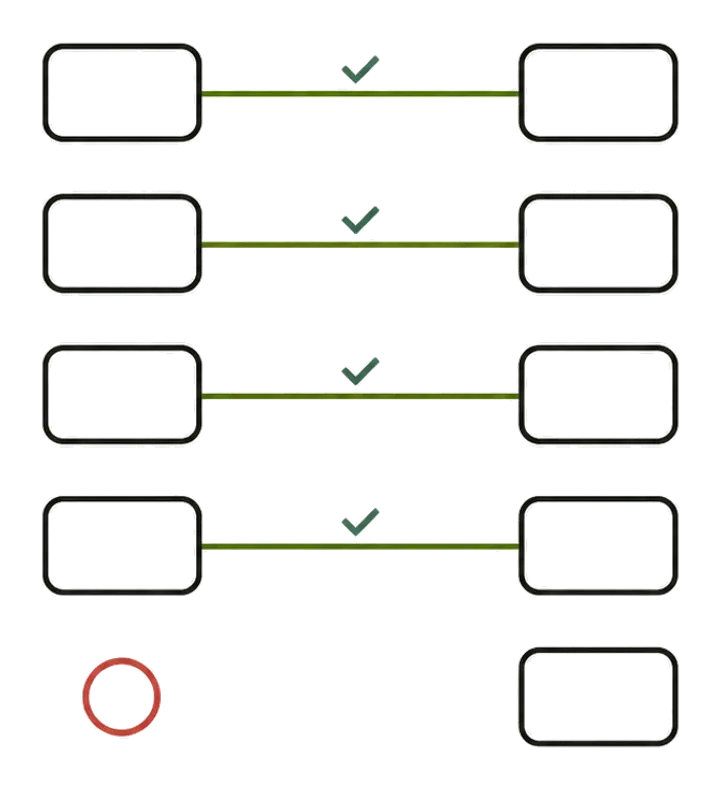
The catch is that Meta now has two records of one purchase. Deduplication is the mechanism that collapses them back into one. When it works, you get the coverage of two sources and the count of one. When it fails, you get the count of two, and every downstream number — conversion volume, cost per purchase, ROAS — is wrong in the direction that makes bad campaigns look good.
Deduplication is not automatic magic. It is a match on keys you are responsible for setting correctly.
What does Meta match on to deduplicate Pixel and CAPI events?
Meta’s primary deduplication method compares two fields across the browser and server events:
- event_id — a unique identifier for the specific event. In the Pixel it is passed as
eventID; in the Conversions API payload it is theevent_idfield. Same value, two different spellings. - event_name — the standard event, for example
Purchase. The Pixel’seventmust equal the Conversions API’sevent_name.
If a browser event and a server event share the same event_id and the same event_name, and Meta receives the second one within 48 hours of the first, they are treated as one event. Per Meta’s documentation, matching is by event id plus event name together — one without the other does not qualify.
Here is what actually happens in each failure case:
- event_id differs between the two sources. No match. Meta records two conversions. One purchase becomes two.
- event_id is regenerated on every pageload. The browser and server never carry the same value at the same time, so nothing matches. This is the most common self-inflicted bug.
- event_id is missing on one side. Nothing to match against. Both count.
- event_name differs (
Purchasevspurchase). Ids can match perfectly and it still fails, because the name is part of the key. - The second event arrives after 48 hours. Outside the window, Meta has already finalized the first; the late twin counts on its own.
The business consequence is always the same shape: inflated conversion counts feed an inflated ROAS. A campaign reporting 4.0 ROAS while double-counting is really running at 2.0. You scale it because the dashboard says it wins, and you pour budget into a campaign that is at best break-even. Duplicate events do not just add noise — they actively reward your worst decisions.
Why does Shopify double-fire Meta Purchase events?
On Shopify, duplication rarely comes from one misconfigured tag. It comes from two systems that each believe they own the Purchase event and do not know about each other. The recurring combinations:
- Native Facebook & Instagram channel + a GTM/app-based CAPI. The native channel sends its own browser and server events. Add a second server path through GTM or an app and you now have two Purchase events per order with no shared id.
- A CAPI app + the theme/Customer Events Pixel. The app sends server-side Purchase, the storefront Pixel sends browser Purchase, and the app generates its own ids the Pixel never sees.
- Two CAPI apps installed at once — often a leftover from a previous setup that was never uninstalled. Both fire; neither coordinates.
- checkout.liquid Pixel + a Customer Events Pixel during a half-finished checkout-extensibility migration, both surviving on the thank-you page.
The through-line: each source can be individually correct and the combination still doubles your data, because deduplication only works when the sources agree on event_id. Two well-behaved sources that never exchange ids are worse than one, because they look complete while quietly counting twice. If you are untangling which sources are live, the Meta CAPI deduplication diagnostic walks the inventory step by step.
Diagnostic decision tree
Comparison table — scroll horizontally to see all columns
| What you see in Events Manager | Likely cause | What’s happening | Fix |
|---|---|---|---|
Two Purchase rows per order, both “Processed”, no “Deduplicated” label | Two sources with no shared id | event_id absent or different on each | Route both through one id source; pass the same value to Pixel and server |
| Pairs match in Test Events but production count is still ~2× orders | event_id regenerated per pageload | Ids match only within a single load, not across browser/server | Derive event_id from the order id, not Date.now() or a fresh UUID |
| Server events count separately; browser events look fine | event_name mismatch | Server sends purchase/PURCHASE, Pixel sends Purchase | Standardize on Purchase (case-sensitive) on both sides |
| Some orders dedup, some don’t | Race past the 48-hour window, or intermittent server retries with new ids | Late or re-keyed twin lands outside the match | Stabilize the id; ensure the server sends promptly |
| Counts look right in aggregate but EMQ is low | Not a dedup problem | Dedup is fine; user-data enrichment is thin | Separate issue — see event match quality |
How do I inspect deduplication in Events Manager?
You cannot diagnose this from the headline dashboard — it shows totals, and totals hide double-counting. Go to the event source and open Test Events:
- In Events Manager, select your dataset (Pixel), open the Test Events tab, and copy the test code.
- Trigger a real test purchase (or use the test-event code in your server payload’s
test_event_codefield so the server event shows up too). - Watch the live feed. A correctly paired event appears with a “Deduplicated” indicator, and expanding it shows it was received from both Browser and Server with the same
event_id. - If instead you see two separate
Purchaseentries — one Browser, one Server — with no dedup label, your ids or names do not match. - For historical data, open an individual event in the Overview/event detail and check the connection method. A healthy pairing reports both browser and server; two independent rows per order is the tell.
The signal you are hunting for is the literal “Deduplicated” label on a browser+server pair. Its absence, when you are sending both, is the bug.
A correct implementation sketch
The whole fix is one idea: generate the event_id once, key it to the order, and hand the exact same string to both the Pixel and the server. Here is a technically correct shape.
Browser (Customer Events pixel or theme), passing eventID as the fourth argument to fbq:
// One id per purchase, derived from the order so it is identical on the server.
// NOT Date.now(), NOT a fresh crypto.randomUUID() on each load.
const eventId = `purchase_${order.id}`; // e.g. "purchase_4512890"

fbq('track', 'Purchase', {
  value: 129.00,
  currency: 'USD',
  contents: [{ id: 'SKU-123', quantity: 1 }],
  content_type: 'product'
}, { eventID: eventId });
Server (Conversions API payload), using the same value in the snake_case event_id field and the same event_name:
{
  "data": [
    {
      "event_name": "Purchase",
      "event_time": 1690000000,
      "event_id": "purchase_4512890",
      "action_source": "website",
      "event_source_url": "https://store.example/checkout/thank-you",
      "user_data": {
        "em": ["<sha256 of lowercased, trimmed email>"],
        "fbp": "fb.1.1690000000.1234567890",
        "fbc": "fb.1.1690000000.AbCdEfGh"
      },
      "custom_data": { "value": 129.00, "currency": "USD" }
    }
  ]
}
Three details do all the work: the event_id strings are byte-for-byte identical, the event names are both exactly Purchase (case matters), and the id is derived from the order so a page reload cannot change it. The fbp/fbc/em fields improve match quality but are not what deduplicates — that is event_id + event_name alone.
How I verify this in real implementations
Disclosure: I build server-side pipelines for a living and I am the founder of Fixel Pixel, so I have a bias toward server-side setups — which is exactly why I verify dedup with counts, not claims.
My protocol on every CAPI engagement:
- Inventory every source first. Before touching code I list every system that can fire
Purchase: native Facebook channel, any CAPI apps, GTM web, server GTM, theme pixels. Duplication is almost always an extra source nobody remembered, not a broken tag. - Parallel-run and read Test Events, not the dashboard. I fire a real purchase with a
test_event_codeon the server so both twins appear, then confirm the literal “Deduplicated” label on the matched pair. - Reconcile counts against orders. For a fixed window I compare Meta’s reported
Purchasecount against the actual Shopify order count. A healthy setup lands close to 1:1; a count sitting near 2× orders is the fingerprint of a dedup miss even when individual test events look fine. - Confirm the id is stable. I reload the thank-you page and re-trigger to make sure the
event_iddoes not change between loads. If it moves, production dedup will fail even though a single clean test passed.
The reconciliation step is the one people skip, and it is the only one that catches intermittent duplication.
Common failure modes
- Ids regenerated per pageload.
event_idbuilt fromDate.now(),Math.random(), or a fresh UUID at render time. Each load produces a new value, so the server twin never matches. Derive it from the order. - order-id vs random-uuid trade-off. An order-derived id is stable and free to reproduce on the server, but it is guessable and repeats if the same order re-renders — usually fine for dedup. A random UUID is unguessable but only works if you generate it once and persist it so both sides read the identical value; generated twice, it guarantees duplication. Most Shopify setups are safer with the order-derived id.
- Case and naming drift.
purchasevsPurchase, or a custom event on one side and a standard event on the other. - camelCase/snake_case confusion.
eventIDin the Pixel,event_idin the server payload. Sendingevent_idtofbq(oreventIDin the server JSON) silently does nothing. - The 48-hour window. Batched or delayed server sends that land more than 48 hours after the browser event will not deduplicate.
- Uninstalled apps that keep firing. A removed app whose pixel snippet or webhook survives in the theme.
Limitations
Deduplication only reconciles the same event described twice. It does not merge genuinely different events, and it will not rescue a setup where the two sources describe different things (say, the browser fires on the thank-you page while the server fires on payment capture with a different id — those are two events, correctly counted).
It is also scoped to Meta; getting Meta clean does nothing for GA4 or Google Ads, which have their own counting rules. And a perfect dedup rate says nothing about match quality — you can deduplicate flawlessly while sending events Meta can barely attribute. Dedup is about counting once; matching is a separate discipline.
Alternatives
If you cannot pass a shared event_id — for example a locked-down app that will not expose it — Meta’s fallback matches on fbp or external_id plus event_name, but only when the browser event arrives first and both sides carry the identifier consistently. Treat it as a safety net, not a plan.
The more durable alternative is architectural: consolidate to one server path so there is a single place that owns the id, then let the browser Pixel mirror it. That is usually part of a broader server-side tracking or Meta Conversions API setup, and it is why I generally prefer a single well-instrumented pipeline over three half-coordinated ones. The mechanics of that pipeline are covered in Server-Side Tracking: Benefits, Limits and Architecture.
Need help checking your Meta Purchase setup?
Use this brief to request a review of the sending sources and event identifiers. The next step is to establish what can be verified, then agree any implementation work. You do not need to choose a new CAPI app first.
