


What is server-side tracking?
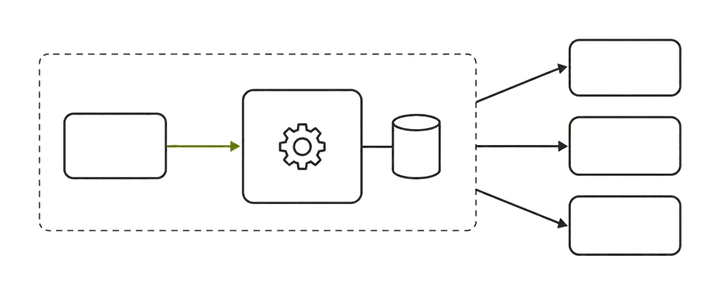
Server-side tracking moves processing and vendor delivery to infrastructure you control, commonly a server-side Google Tag Manager (sGTM) container. In a typical sGTM setup, collection still starts with a request from the shopper’s device; direct backend-to-vendor API calls are a separate event source.
Instead of the browser talking directly to Google, Meta, and a dozen other endpoints, it sends one request to your endpoint, and your server decides what to forward, to whom, and with what data.
Google’s own framing is worth taking literally: server-side tagging measures activity “wherever it happens,” with stated benefits of page performance, privacy controls, and data quality. That is an honest list. Notice what is not on it: it does not promise to recover lost conversions or beat consent. The value is real but bounded, and most disappointment comes from expecting the unbounded version.
This article is the honest version: what it recovers, what it will not touch, and how the architecture options actually differ.
What does server-side tracking actually recover?
Server-side gives you control over received events and their onward delivery. A first-party endpoint can reduce some browser-side loss, but cookie lifetime and request delivery still depend on browser protections, blockers and consent.
1. Cookie behavior under ITP. Safari restricts script-set cookies and also limits cookies set through third-party CNAME cloaking. Setting a cookie in an HTTP response from your own subdomain does not automatically remove those limits. Check the actual hosting arrangement and browser behavior rather than promise longer recognition of returning visitors.
2. Ad-blocker and script loss. A first-party endpoint changes the request destination, but a typical sGTM still receives that request from the visitor’s device. Blockers can block the script or endpoint before the server receives anything. Any reduction in loss depends on the implementation and must be measured, not assumed.
3. Network reliability. Browser beacons are best-effort and die with the tab, a dropped connection, or a fast bounce. Once an event reaches your server, delivery to each vendor becomes a server-to-server call you can retry, queue, and monitor.
4. Enrichment and validation before forwarding. The server can hash PII correctly, attach first-party data (order value from your backend, a customer id, hashed email), strip fields a vendor should not receive, and validate the payload before sending. This is where match quality actually improves — feeding a clean, hashed em/fbp/fbc set into the Meta Conversions API the browser never had.
None of these is a percentage I can promise. They are mechanisms. How much you recover depends on how much of your traffic is Safari, how aggressively your audience blocks, and how lossy your current setup is. Anyone quoting a fixed recovery number without seeing your traffic is guessing.
When does server-side tracking not help?
This is the section vendors skip. Server-side does nothing for any of the following, and buying it to fix them wastes money:
- Consent refusals. If a shopper declines analytics or ad cookies, a correctly built server container must still honor that. Server-side relocates where tags run; it does not manufacture permission. Using it to route around consent is a compliance problem, not a feature. (This covers technical implementation, not legal advice.)
- Attribution-model differences. GA4, Meta, Google Ads, and Shopify count conversions on different models, windows, and definitions. They will never perfectly agree, and server-side does not change any platform’s counting rules — see why GA4 revenue does not match Shopify.
- A broken dataLayer. If the events, values, or ecommerce objects your site pushes are wrong, the server faithfully forwards wrong data. Garbage in, garbage out — now with better delivery guarantees. Fix collection first.
- Platform counting rules and deduplication logic. Server-side can cause double-counting if you forward an event the browser also sends without a shared id. It does not automatically reconcile the two; that is a design decision you have to make.
- Bad measurement strategy. Wrong conversion definitions, missing key events, or a channel taxonomy that doesn’t reflect your marketing — server-side inherits all of it.
The rule of thumb: server-side fixes transport and enrichment. If your problem is permission, definition, or logic, it is the wrong tool.
Architecture options compared
There is no single “server-side setup.” There are four common shapes, trading the same three currencies: money, control, and maintenance.
Comparison table — scroll horizontally to see all columns
| Option | What it is | Cost drivers | Control | Maintenance |
|---|---|---|---|---|
| Stape-hosted sGTM | Managed hosting for a server GTM container | Monthly plan by request volume; add-ons for power-ups | High within GTM; vendor owns the infra | Low — Stape handles hosting, scaling, updates |
| Self-hosted GCP | Your own sGTM on Cloud Run / App Engine behind a load balancer | Usage-based compute + egress; engineering time | Highest — full infra and data control | High — you own scaling, uptime, patching, logs |
| Direct conversion APIs | Code sending straight to GA4 Measurement Protocol, Meta CAPI, Google Ads — no container | Developer time; no container fee | Full at code level; no GTM UI | Medium — bespoke code you must maintain per vendor |
| Managed platform | An all-in-one service that runs collection and forwarding for you | Subscription; least engineering | Lowest — you configure, not build | Lowest — vendor owns the pipeline |
Disclosure: I am the founder of Fixel Pixel, which sits in that last row — a managed server-side pipeline for Shopify. I include it because leaving it out would be dishonest, not because it wins by default. It fits a merchant who wants the transport benefits without hiring an ops team or babysitting a GTM container, and it is the wrong choice for a team that wants to own its GCP infrastructure or a developer who would rather write direct API calls. A good consultant should be able to talk you out of their own product: if you want maximal control, self-host; if you have one conversion and a developer, direct APIs are leanest; if you want it handled, a managed option — mine or Stape’s hosted sGTM — earns its fee. The right answer is a function of your constraints, and the honest comparison lives on the server-side tracking service page.
First-party subdomain collection, cookie restoration and dedup design
A first-party endpoint gives you control over the collection path; it does not bypass consent, blockers or browser privacy protections by default. Safari also limits cookies set via third-party CNAME cloaking. Configure and test the path rather than treating a CNAME as proof of recovery.
- Point a subdomain at the container via CNAME, for example
data.yourstore.com. Stape provides a target host; on GCP you map a custom domain to the load balancer. This subdomain must be on your own root domain — a vendor’s domain defeats the entire purpose. - Load the web container / gtag from that subdomain, so the request the browser makes is to
data.yourstore.com, which is first-party to the shopper. - Let the server set the identifier cookie in the HTTP response (
Set-Cookie,HttpOnly) from that first-party domain. Check the cookie’s scope, access requirements and observed lifetime. Server-set cookies are not exempt from browser privacy protections, including Safari’s limits on third-party CNAME cloaking. - Design deduplication deliberately. If you keep the browser Pixel (you usually should), generate one
event_idper conversion and send the identical value through both the browser and the server so the platforms collapse the pair. Getting this wrong is a common way server-side makes your data worse — the full mechanics are in Meta CAPI Deduplication: How event_id Actually Works.
The subdomain and cookie settings affect collection, but enrichment, forwarding and observability remain useful independently of cookie lifetime. Verify each part of the path instead of equating a first-party hostname with protection from loss.
How do you know the server container is silently failing?
A server container can return 200 OK while forwarding nothing useful: the browser tag looks fine, the container looks healthy, and a vendor is rejecting every payload for a schema mismatch you never see. Silent failure is the default failure mode.
What to watch:
- Vendor response codes and bodies. Log what GA4, Meta, and Google Ads actually return, not just that your container responded. A
2xxfrom your container says nothing about whether Meta accepted the event. - Volume ratios. Track server events vs browser events vs actual Shopify orders over a rolling window. A sudden divergence — server count collapsing while orders hold — is your earliest warning.
- The vendor’s own debug surface. GA4 DebugView and Meta Test Events show whether events are arriving and validating in real time.
- Container request logs. Stape exposes request logs and monitoring; self-hosted GCP needs you to wire up Cloud Logging and alerts yourself. Either way, an unmonitored container is a black box.
- Alerts on drops. A threshold alert on the server-to-order ratio turns a silent multi-week outage into a same-day fix.
If you cannot answer “how would I find out this broke tomorrow?” you do not yet have a server-side setup you can trust.
Decision table: should you invest in server-side?
Comparison table — scroll horizontally to see all columns
| Invest in server-side if… | Skip it (for now) if… |
|---|---|
| A large share of your traffic is Safari/iOS and you see cookie-lifetime decay | Your problem is that platforms disagree — that’s attribution, not transport |
| Ad-blocker loss is material to your audience | Most of your loss is consent refusals |
| You need to enrich events with backend data (order value, hashed email) before sending | Your dataLayer is broken or incomplete — fix collection first |
| You are already running Pixel + CAPI and want a durable, monitored pipe | You want it to “recover conversions” with no other change |
| You can commit to monitoring (or pay a managed provider to) | Nobody will own observability, so it will fail silently |
Server-side rewards merchants with a real transport problem and the discipline to monitor it, and punishes those who buy it as a magic recovery layer.
How I verify this in real implementations
Disclosure again: I run a server-side product, so I hold my own installs to the count test, not the pitch.
- Parallel-run browser and server. I keep both live with a shared
event_idand confirm the platforms deduplicate the pair rather than double-counting — the transport benefit is worthless if it inflates counts. - Reconcile against orders. For a fixed window I compare the server-forwarded Purchase count against the actual Shopify order export, expecting convergence within a small structural variance; a persistent gap in either direction is the thing to chase — the same order reconciliation I use on every audit.
- Read vendor responses, not container status. I log what GA4 and Meta return and confirm events validate, not merely that my endpoint answered.
- Test cookie behavior. I check the identifier’s observed lifetime in Safari under the actual domain and hosting configuration, including applicable CNAME-cloaking restrictions, and document limits rather than assume persistence.
Parallel-running and reconciliation are what separate a server-side setup that works from one that merely exists.
Common failure modes
- Container reached over a vendor hostname, so cookies stay third-party and ITP still truncates them — the maintenance cost with none of the benefit.
- Double-counting from forwarding an event the browser also sends without a shared
event_id. - Silent downstream rejection —
200from the container, payloads rejected by the vendor, nobody logging it. - Consent signal dropped at the server, so refused users are still tracked — a compliance failure, not an optimization.
- Stale enrichment — hashing the wrong field, or attaching an order value that doesn’t match the vendor’s expected schema.
- No monitoring, so any of the above runs for weeks before someone notices the numbers.
Limitations
Server-side is a transport-and-enrichment layer, and its ceiling is set by what reaches it. It cannot see events the browser never generated, cannot re-consent a user who declined, or make two platforms with different attribution models agree. It adds infrastructure you have to run and monitor, and — done carelessly — can degrade data quality by double-counting.
It is also not a privacy shortcut: the same consent and data-minimization obligations apply, just executed on your server. Used for what it is — a reliable, enrichable pipe — it is one of the more effective improvements available. Used as a recovery miracle, it disappoints every time.
Alternatives
If your loss is concentrated in one place, a narrower fix may beat a full container. For a single high-value conversion, a direct conversion API call (GA4 Measurement Protocol, Meta CAPI, or Google Ads) is leaner than standing up sGTM.
If the real problem is platforms disagreeing, the answer is reconciliation and attribution work, not new infrastructure. If your dataLayer is the weak link, fix collection first. And if the constraint is operational bandwidth, a managed pipeline buys the transport benefits without the ops burden. Match the tool to the actual loss: server-side is powerful when the loss is at the transport layer, and overkill when it is anywhere else.
