
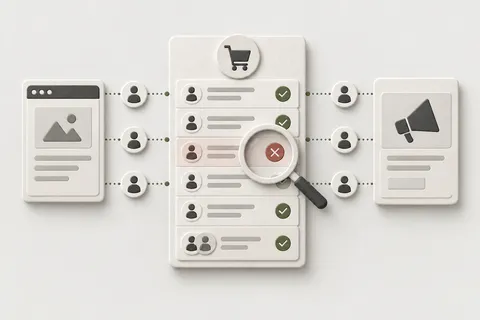

The dashboard said sales were down. The Shopify admin said nothing of the sort. If that is your August, the two numbers are not disagreeing about your business. They are disagreeing about whether a page told Meta what happened, and on 26 August 2026 Shopify retired that page for non-Plus stores.
26 August 2026 was the deadline for stores on a non-Plus plan to upgrade the Thank you and Order status pages to the new versions. The pages were not removed, but the old way of putting code on them was: additional scripts had already gone view-only, on 28 August 2025, and script tags stopped running on the Order status page for the remaining stores. Anything that depended on code executing on the post-purchase page stopped with it. In many stores, that was the Google Ads conversion tag, a Meta purchase event, an affiliate postback, or a pixel installed years ago and never touched since.
Why it reads as a sales drop and not a tracking failure
Three things stack up, and all of them point at the wrong conclusion.
First, deduplication hides the hole. Where a store had both a browser pixel and a server event, the browser path often kept firing, so the total purchase count barely moved while match quality and attributed value fell. Anyone watching the count concludes nothing broke.
Second, the two platforms hide it differently. Meta dates a conversion to the event, so a break shows up close to the date it happened. Google Ads dates a conversion to the click, so the same break smears backward across the days before the click — it looks like performance decaying rather than stopping. Same break, two shapes, depending on which report you opened.
Third, bidding reacts before reporting does. Smart Bidding optimises against the signal it can still see, so spend can move while the numbers in the report are still settling. Practitioners in Shopify’s own community thread report exactly this ordering. Note the correction that thread also makes: a CPA move on its own is not proof of tracking loss — the proof is the event-level shortfall.
And whatever was missed is gone. Conversion platforms do not backfill, so the gap stays in the history no matter what you fix next.
It did not hit every store, and that is not random
Two facts decide it per store, and neither is visible from a dashboard.
- Which path the purchase event travelled. The native Facebook and Instagram channel sends through Shopify’s own pixel layer and the Conversions API, and never lived on the Order status page. Those stores were untouched. Anything hooked to the Order status page — a pasted pixel, an older third-party container — lost that path.
- When that store’s pages were upgraded. The 26th was the last possible date, not the event. A store upgraded in the spring took its hit in the spring and shows a flat line around 26 August. That is the store where every check comes back clean.
The recovery checklist you can run this week
- Confirm the upgrade state, per store. In Shopify admin, go to Settings > Checkout and read the Configurations section. If the upgrade notice shows, the store is still on the deprecated version.
- Find where the purchase event lives now. Open Settings > Customer events. If the official Meta or Google pixel is connected there, that integration is doing the work. Then place a real test order and watch it arrive.
- Fix the customer-account domain if you use a custom domain. Shopify requires the customer account domain to be a subdomain of your online store domain, such as
account.your-store.com. If it is not, pixels and cookie consent can fail on the Order status page. - Align the two clocks before you compare a single day. Shopify buckets orders by the store timezone; the ad platforms bucket by the ad account timezone, which is often not the same. A genuine step on the 26th read across an offset can look like a two-day ramp.
- Separate a measurement loss from a performance loss. Compare Shopify’s own paid-channel line — orders carrying your campaign UTM or referrer — with what the platform reports for the same days. If Shopify’s paid line holds while the platform falls, it is measurement, and it is not a reason to change budgets. Do not use total orders as the control; a flat total can hide a collapse in paid.
- Check the server/browser split in Meta. In Events Manager, open the Purchase event and compare the connection-method breakdown for the week before and after 26 August. If the server share collapsed, the server path is the casualty.
- Check the Meta data-sharing level. Shopify only uses the Conversions API at Enhanced or Maximum, not Standard. A store left on Standard has no server-side purchase path at all.
- Replace the script properly, in the right order. Connect and test the app pixel, then deactivate the old additional script to avoid duplicate events. If you want zero duplicate window, deactivate the script first and accept the short gap instead.
- Do not reconnect blindly. If the server event never stopped arriving, reconnecting the integration can create duplicate Purchase events. Verify before you reconnect.
- Annotate the ad account with the exact gap dates. Because nothing backfills, the annotation is how future-you knows the dip was measurement.
- Check what else was on that page. Anything that rendered on the Thank you page through a script — an upsell, a cross-sell, a reorder or replenishment prompt — went dark too. That is real revenue, not measurement: an offer going dark reads as average order value falling while order count holds. Check the checkout editor’s Added tab to see which app blocks are actually placed now, and look at repeat-purchase rate by cohort, because a lost reorder prompt shows up weeks later.
What I do about it
I take the order, not the page, as the source of truth, and I rebuild the purchase path so it does not depend on a script running on a retired surface. On my own pipeline, Fixel Pixel, purchase events are captured server-side and stamped with the ad click ids on the order, so an order can be traced to the click that produced it without relying on what fired in a browser.
Before the previous Shopify checkout deadline, I rebuilt measurement end to end for a headless Shopify retailer in the US market, finishing 16 days before the cutoff. Sales with a known source went from 6% to 76%, duplicate purchase reporting from +100% to 0%, and Google-attributed sales per day from 0.1 to 10.5. Of 612 sales in the audited period, 573 had been invisible to every report, and 211 refunds had never been subtracted. The same rebuild also found that about one in six sessions on the property were bots with zero sales, which had been inflating the denominators all along.
That is what the Aug-26 Tracking Recovery is: find which path the purchase took, prove it with a real test order, move it onto a supported one, and reconcile against Shopify orders so the number can be checked. I will not claim flawless ongoing monitoring — I keep an open defect list, and I would rather you saw it than a clean dashboard that hides it.
“[He] is very responsive and is an expert at fixing pixel and tracking issues in Meta and Shopify.”
— Upwork client, 2025
What this is not
- Not a budget problem. Do not pause campaigns on a dashboard number until you have checked Shopify’s own paid-channel line. Plenty of winning campaigns have been paused because a report was missing events.
- Not backfilled. The historical gap stays. Annotate it.
- Not necessarily the 26th for your store. The 26th was the deadline, not the date the pages changed for you.
- Not Plus-exempt. The same surface was retired for Plus stores earlier, under a different date.
- Not legal or tax advice. Consent and privacy settings are part of the implementation; the rules that apply to your store are a separate question.
I can build this for you
This is the use case Purchases Dropped After Shopify’s August 26 Checkout Upgrade (or After You Bought the Store): Tracking Recovery.
It starts with a free discussion: describe your task, and I will tell you which of the two losses you have — measurement, or a genuine change — before anything is changed. If we need to establish the cause first, that is a separate diagnosis, agreed before any implementation.
Typical route: the Aug-26 Tracking Recovery as a Focused Fix from USD 450 / EUR 425; a Custom Engineering Project from USD 1,500 / EUR 1,400 where the rebuild spans multiple stores or a headless storefront.
Describe your task.
