
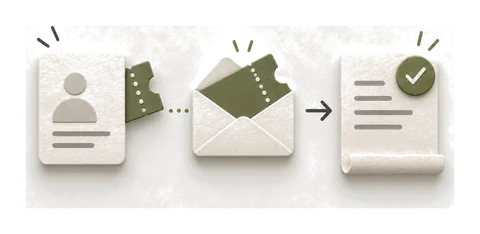

A contact reached the right stage in GoHighLevel, but Google Ads shows no conversion. Before rebuilding the workflow, separate four questions: did the contact qualify, did the action run, did Google accept the event, and does the report include it?
This guide is a diagnostic sequence based on the linked documentation, reviewed on 26 October 2026. It does not claim a live test in a HighLevel account or prescribe an unverified trigger configuration.
Start with one contact and one outcome
Write down the intended outcome in business terms: an appointment booked, a lead qualified or a sale completed. Identify the workflow, its version and the conversion action that should represent that outcome. Use an internal reference when sharing evidence; leave contact details and raw identifiers out of public screenshots.
The useful record is a chain of observations, not “the integration is connected.” If the first missing observation is workflow entry, changing the conversion value in Ads will not establish what happened upstream.
Check the account, action and attribution
HighLevel’s action guide requires a connected Google Ads account and an existing conversion action. It documents click identifiers including GCLID, GBRAID and WBRAID, plus an exact conversion-name match where the action uses a name.
Inspect the settings actually selected in this sub-account. Record the Ads account, action and attribution available for the contact. A name that looks familiar is a weak check when several accounts contain similarly named actions.
Do not paste a made-up click ID into a contact to force a success state. If the contact has no eligible attribution for this route, record that limitation and investigate capture on future eligible visits. A successful workflow test using direct traffic is not proof of click attribution.
Read the workflow result before changing it
Open the execution record for the chosen contact. Establish whether it entered the intended workflow and reached the Ads action. Record the action’s status and any explanation attached to it. HighLevel documents Executed and Skipped outcomes; the explanation matters more than the colour of the badge.
Its current action article gives different trigger examples in its setup section and FAQ. For that reason, this guide does not publish an “all triggers work” recipe. Check the trigger and action combination available in your current account, then verify that exact path with an agreed scenario.
Comparison table — scroll horizontally to see all columns
| Observation | Investigation |
|---|---|
| Contact never entered | Entry conditions, filters and the intended workflow version |
| Contact entered but never reached the action | Branches, waits, exits and earlier failures |
| Action was skipped | The recorded reason and required attribution or configuration |
| Action executed; receipt unconfirmed | Receiving account and import diagnostics |
| Import accepted; report differs | Conversion action, date basis, reporting columns and eligibility |
The last two rows are deliberately separate. “Executed” describes what the workflow reports. It is not a substitute for evidence from the receiving platform.
Check Google Ads on the same basis
Find the available import result or diagnostics for the relevant route and action. Preserve the actual error before retrying. If the integration exposes no per-event result, mark that link as unconfirmed instead of inventing an accepted count.
For reconciliation, Google recommends comparing accepted upload results with All conv. (by conv. time) and segmenting by conversion action. This avoids comparing a CRM outcome date with a report organised around a different date basis. See Google’s offline-import FAQ.
Also inspect which action and columns the business is using. A reported event and an event used for bidding are different checks. Agree the intended setup before altering primary goals or campaign settings.
A safe acceptance record
Prepare the following record before a repair. Use a controlled test destination where the integration supports it; otherwise agree how an existing eligible outcome can be inspected without sending fabricated conversions into live bidding.
Comparison table — scroll horizontally to see all columns
| Checkpoint | Evidence to retain privately |
|---|---|
| Source outcome | Internal reference, outcome and timestamp |
| Attribution | Identifier type and presence, with the value redacted |
| Workflow | Version, trigger, relevant action and execution result |
| Destination | Account/action and accepted, rejected or unconfirmed result |
| Reporting | Action, date basis, columns and time of the check |
| Repeat handling | What happens if the same outcome is processed again |
This is a proposed acceptance record, not a completed client test. The point is to make “fixed” verifiable and leave unresolved observations visible.
When this becomes a wider rebuild
A typo, a broken mapping or one lost capture field can be a bounded repair. Several inconsistent lifecycle stages, multiple senders or missing historical attribution call for a wider scope. Rebuilding cannot create genuine ad-click history that was never captured.
For CSV/API errors outside HighLevel, use the general offline-conversion diagnostic. For a documented access error on a custom importer, see the June 2026 API changes.
If you want me to repair it, describe the workflow and the last confirmed checkpoint. A suitable single tracking fault is $350, with three working days after access and scope agreement. A connected rebuild starts at $1,500, quoted before work. You can see the format of an implementation handover in this redacted Shopify report; it is a Shopify example, not evidence of a HighLevel result.