
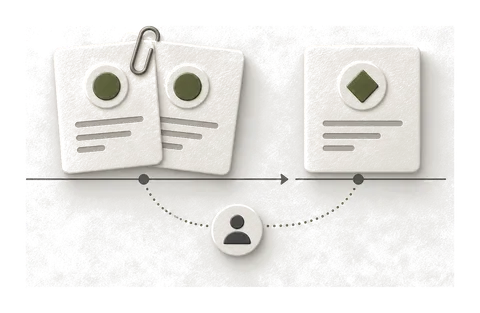

Start by deciding what is missing or duplicated: one submitted lead, a later qualified outcome, or two delivery routes describing the same submission. Comparing a contact count with an event count before defining that relationship can send the repair in the wrong direction.
This is a documented diagnostic sequence, reviewed on 26 October 2026. The scenarios below are proposed acceptance checks, not results from a live HighLevel or Meta account.
Inspect the native path first
HighLevel’s workflow documentation says funnel events generate an eventId, save it with contact attribution and reuse it in the CAPI action when available. It also says later workflow triggers can use existing Facebook attribution but do not create it.
Check those conditions on the chosen contact before installing a custom identifier generator. Record the event, its attribution origin and the action’s receiving dataset. If native information is absent, first establish where it should have been collected.
A generic “add an event ID” recipe skips that investigation. It can also make the evidence harder to follow if the browser, native action and new custom sender each choose a different identifier.
Separate three kinds of repetition
Comparison table — scroll horizontally to see all columns
| What happened | What to establish |
|---|---|
| Browser and server described the same submission | Whether the two deliveries carry the intended shared event identity |
| A workflow processed the same outcome again | Why it re-entered, whether it sent again and how repeat processing is handled |
| The contact reached a later milestone | Whether this is a separate business event with its own definition |
For example, an initial enquiry and a later confirmed sale belong to the same contact but need not represent the same outcome. Conversely, two runs caused by repeated updates to one unchanged stage may represent only one outcome. These are modelling examples; they do not imply a particular Meta event name or a tested HighLevel setup.
Write the event contract in plain language first: “send when this outcome first becomes true,” including what happens on a retry or a stage reversal. Then compare the actual workflow with that contract.
Follow one event end to end
- Choose the source outcome. Record the internal reference, outcome and timestamp. Establish whether a browser event is expected as part of this particular flow.
- Inspect contact attribution. Check what is present and how it arrived. Keep raw customer details and identifiers in the private working record.
- Inspect workflow execution. Identify the version, entry conditions, branches and CAPI action. Record whether the contact reached the action and what result or error was exposed.
- Inspect the destination. Confirm the dataset and event name, then use the available Meta event tools and diagnostics. A workflow success badge alone is not evidence of receipt or deduplication.
- Compare the intended pair or repeat. For two copies of one event, compare their identity. For a workflow rerun, compare the source outcome and trigger. For a later stage, verify the event contract rather than collapsing it into the earlier lead.
When an order value is involved, check the source of that value too. HighLevel specifically distinguishes its completed-payment Order Submitted trigger from Order Form Submission for the order amount field. A workflow reaching its action does not establish that every mapped value existed at that point.
An acceptance scenario to agree before changing production
Use a test facility or controlled dataset where the integration supports it. Do not send invented leads into a client’s live advertising optimisation just to make a report move.
Comparison table — scroll horizontally to see all columns
| Scenario | Expected evidence |
|---|---|
| One intended source event | Source reference, workflow result and receipt in the agreed dataset |
| Browser/server pair, if the flow has both | The pair’s event identity and available deduplication evidence |
| Processing the same outcome again | Observed repeat behaviour compared with the written contract |
| A later, different business outcome | A distinct event as defined in the contract |
| Missing required attribution or a failed action | A visible, explainable limitation or failure rather than a claimed success |
Keep a short record of observed versus expected results. Redact contact data, tokens and raw attribution values before sharing it. If the integration does not expose enough evidence for one checkpoint, mark it unconfirmed and state how it will be checked.
When I would change the implementation
If the workflow never reaches its CAPI action, start with workflow logic. If the action targets the wrong dataset, repair the destination. If repeated entry sends the same business outcome twice, resolve the repeat policy. None of those observations, by itself, proves that a new server container is needed.
A new custom delivery path becomes a separate scope when the existing integration cannot represent the agreed event design or provide the required controls. Decide that from the evidence, including what can be retained in the native setup.
For Shopify purchase duplication, use the Pixel/CAPI purchase diagnostic. For a HighLevel workflow feeding Google, use the Google Ads offline-conversion guide.
To have me repair the flow, describe the missing or repeated outcome. A suitable single tracking fault is $350, with three working days after access and scope agreement. A connected rebuild starts at $1,500, quoted before work. The redacted implementation report shows the handover format using a Shopify example; it does not claim a HighLevel test result.