
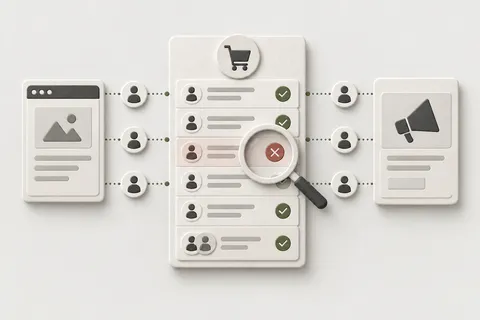

Someone asks an AI assistant for a waterproof trail shoe and taps the link to your store. GA4 can file that visit under AI Assistant, Referral, Direct or Unassigned, depending on the assistant and what came with the click. On the Shopify side, the order may carry that visit’s referrer, or no visit data at all.
This guide covers what is documented as of 2 October 2026, for stores in any market, UK and EU included. These platform rules have changed almost every month in 2026, so I date what I state and recheck it monthly.
Where does AI assistant traffic land in GA4?
Since 13 May 2026, GA4’s default channel group has an AI Assistant channel. It catches visits whose referrer is on Google’s list of AI assistants, plus traffic tagged with medium ai-assistant. Older rules handle the rest: no referrer and no UTM is Direct, other referrers mostly land in Referral, and AI Mode and AI Overviews count as Organic Search.
When the referrer matches, GA4 sets the medium to ai-assistant and the campaign to (ai-assistant). Google’s channel page names ChatGPT, Gemini, Deepseek, Copilot and Grok as examples. The May release note names ChatGPT, Gemini and Claude. Neither names Perplexity. The full list is a spreadsheet linked from the channel page.
Comparison table — scroll horizontally to see all columns
| Where the click came from | What reaches GA4 | Default channel, 2 Oct 2026 |
|---|---|---|
| ChatGPT | ChatGPT’s referrer, if it arrives; on links from search results, also utm_source=chatgpt.com | AI Assistant when GA4 matches the visit. Read the source / medium your property records |
| Gemini, Copilot, Deepseek, Grok | The assistant’s referrer | AI Assistant: named by Google |
| Claude | The assistant’s referrer | Named only in the release note. Check your property |
| Perplexity | The assistant’s referrer | Not named on either page. Check your property |
| Google AI Mode, AI Overviews | Google Search | Organic Search |
| Any assistant, opened with no referrer and no UTM | Nothing | Direct |
| A link whose UTMs match no channel rule | Your UTMs | Unassigned |
| A ChatGPT Ads click | oppref, plus the UTMs you set | Whatever your UTMs match |
| A checkout paid inside AI Mode, Gemini, Copilot or Meta | Nothing: the store never loads | No session, no purchase |
Treat the AI Assistant figure as a floor. For a second opinion, GA4’s Source Group dimension, added on 11 June 2026, has built-in grouping for AI sources such as ChatGPT and Perplexity. Microsoft Clarity’s AI channel group covers Claude, Copilot, Gemini, ChatGPT and Perplexity, split into organic and paid, and leaves out AI built into search engines or office tools.
What does utm_source=chatgpt.com cover?
OpenAI says ChatGPT adds utm_source=chatgpt.com to referral URLs automatically, so publishers can track visits from ChatGPT search results in tools such as Google Analytics. That is the documented scope. OpenAI doesn’t say whether shopping product links carry it. I haven’t confirmed it on a live shopping click-out yet, so I don’t assume they do.
ChatGPT Ads work differently. OpenAI adds only its click reference, oppref, to the landing URL. UTMs are yours to set, with macros such as {campaign_id}, and OpenAI’s API example uses utm_source=openai. Give the ads a paid medium of your own, so paid clicks don’t blur into organic answers. The ad side is covered in ChatGPT Ads conversion tracking.
Google’s AI Assistant pages don’t say how GA4 treats a visit that carries utm_source=chatgpt.com but no utm_medium. Read the source / medium pair your property recorded before you build a report on it.
Does a ChatGPT purchase show up in GA4?
Yes, if your purchase tracking works. Shopify calls ChatGPT a product discovery channel: the buyer pays on your online store checkout, inside ChatGPT’s in-app browser or in a new tab on ChatGPT web. There is no ChatGPT direct-checkout setting, and OpenAI says it is moving away from a standalone Instant Checkout. Your normal tags run.
Three things go wrong, and only the last one is capture:
- The landing hit. A click with no referrer and no UTM is Direct from the first page view.
- The return visit. A buyer who leaves and comes back days later through a Google search starts a new session. In GA4’s session reports, the purchase belongs to that session.
- The purchase event. If your purchase tag is broken, it is broken for ChatGPT orders too. Fix the purchase event first.
I haven’t yet tested how ChatGPT’s in-app browser handles cookies and consent banners, so I make no claims about it here.
Which AI orders never reach GA4 at all?
Orders paid inside Google AI Mode or Gemini, Microsoft Copilot or Meta. The buyer never loads your store. Shopify says “Google Analytics and custom pixels won’t fire” in that direct checkout. Only server-to-server pixels fire, for checkout started and completed, and Shopify doesn’t document where those send data.
Direct checkout is on by default for eligible stores. Google and Copilot show it only to shoppers in the US, and Meta to shoppers in the US, Canada and Mexico. These orders have no session, so no channel group can catch them. They need server-side capture from the Shopify order, as in AI Mode checkout orders in GA4 and AI-channel order capture. Whether to keep direct checkout on is a separate decision, and the channel-by-channel table shows where each channel takes payment.
Shopify’s Help Center lists no Perplexity channel and no Perplexity setting as of 2 October 2026, so in your reports Perplexity shows up as a referrer. Since 28 September 2026, browser agents can read, update and submit your own checkout through WebMCP once the buyer confirms. Shopify says its update_checkout tool ignores attribution. How pixels see these checkouts is undocumented, and I haven’t tested it.
Where does Shopify record the AI source of an order?
On the order. Shopify says orders from AI channels show in admin with channel or referrer attribution, and Meta orders are attributed to Meta like any other sales channel. For a referral channel such as ChatGPT, look in the visit data: the referrer, landing page and UTMs Shopify recorded before the purchase.
Comparison table — scroll horizontally to see all columns
| Where to read it | What it gives you | Watch out |
|---|---|---|
| Sales channels > Agentic | A report per AI channel: Sales, Orders, Online store sessions, Online store conversion | Sales add referral and direct-checkout sales together. Not yet available for headless stores |
| customerJourneySummary (Admin API) | First and last visit before the order: source, referrer URL, landing page, UTM parameters, within 30 days | Use it. referrerUrl and landingPageUrl on the order are deprecated |
| orders/create and orders/paid webhooks | landing_site, referring_site, source_name | Store them as they arrive |
| attribution (Admin API 2026-07 and later) | The source that created the order | Shopify keeps it apart from marketing attribution such as UTMs |
As of 2 October 2026, Shopify doesn’t document which exact values an AI order carries in these fields. I read them off real orders before I build on them. The order exists whatever happened to your tags, so every reconciliation I run starts from it.
How do I build an AI channel group in GA4?
Copy the default channel group and widen its AI Assistant channel. Keep its rule, medium ai-assistant, which holds everything GA4 already recognises, and add a source pattern for the assistants that show up in your data. Then move it up. If you run ChatGPT Ads, give paid clicks their own channel at the top.
- In Admin > Data display > Channel groups, choose Create new channel group and name it “Default + AI”. Google starts it as a copy of the default group, AI Assistant channel included.
- Check your data before you write a rule. In Reports > Acquisition > Traffic acquisition, set the dimension to Session source and search for gpt, perplex, claude, gemini, copilot, deepseek and grok. Note which hostnames appear and which default channel each one got.
- Open the copied AI Assistant channel and rename it “AI referrals”. Keep Medium exactly matches
ai-assistant, and add OR Source matches the regex below, trimmed to what step 2 showed. - If you run ChatGPT Ads, add a channel called “AI ads”, matched on the utm_source and utm_medium you set on those ads.
- Reorder: “AI ads” at the top, “AI referrals” above Organic Search. GA4 puts a session in the first channel that matches, and in the default order AI Assistant sits below Organic Search and just above Referral. Google’s own example puts an AI channel above Referral and allows it above Organic Search. More on how channel rules are evaluated.
- Save, and use the group as the channel dimension in reports and explorations.
^(.*\.)?(chatgpt\.com|perplexity\.ai|claude\.ai|gemini\.google\.com|copilot\.microsoft\.com|copilot\.com|deepseek\.com|grok\.com)$chatgpt.com is the value OpenAI puts in utm_source. Copilot.com is where Microsoft says Copilot Checkout runs. The others are the assistants’ own web addresses: confirm each one in step 2 and delete what never shows up. Never add a bare google, because it would pull ordinary Google search into the AI channel. The pattern is anchored and allows subdomains such as www., so it works with full and partial matching.
Shop is one of Shopify’s own agentic channels. It moved from shop.app to shop.com on 29 September 2026, and old links redirect. If you report Shop next to the assistants, match both hostnames, in a channel of its own or in this one.
How do I reconcile AI-referred orders between Shopify and GA4?
Take 30 days. Pull the Shopify orders with their visit data, and the GA4 purchases with transaction ID and your AI channel. Join them on the order ID and put every AI order into one of five buckets. The buckets tell you what to fix. A single total tells you very little.
Before you start, the free AI Shopping Readiness Check reads your storefront from outside and shows whether GA4 or GTM is there to see AI click-outs. It gives no score, and it marks anything that lives only in your admin as Cannot tell.
- In Shopify, read the first and last visit of each order from customerJourneySummary, or landing_site and referring_site if you store the order webhooks. Flag the order as AI when the referrer host or utm_source matches your pattern.
- Put direct-checkout orders on their own line. They never had a GA4 session. Shopify doesn’t document which field separates them from click-out orders, so check a few real orders first.
- In GA4, open Explore and build a free-form table with Transaction ID and your AI channel group as rows, and Transactions and Purchase revenue as values. Use the same dates and time zone as the Shopify export.
- Join on the order ID, in whatever form your tag sends as transaction_id, and check one order to be sure. Google warns that an empty transaction_id makes GA4 deduplicate every purchase sent with it, so each order needs a unique, non-empty ID.
- Sort the AI orders into the buckets below.
Comparison table — scroll horizontally to see all columns
| Bucket | What you see | What it points to |
|---|---|---|
| Matched | AI in Shopify and AI in GA4 | Working as designed |
| Lost in GA4 | AI in Shopify; the GA4 purchase sits in Direct, Referral, Unassigned or Organic Search | Attribution: no referrer or UTM, a return visit, or an assistant missing from your rule |
| No GA4 purchase | AI in Shopify, nothing in GA4 | Capture: the purchase tag, consent or blockers. Not specific to AI |
| AI only in GA4 | AI in GA4; Shopify’s visits say something else | The two systems credit different visits. Shopify looks back 30 days |
| Never in GA4 | Paid inside AI Mode, Gemini, Copilot or Meta | Server-side capture, not a channel group |
Repeat it monthly, because the platform rules keep moving. For a weekly view, see the AI-channel revenue report. The method itself is order-by-order reconciliation.
What stays unattributed whatever you build?
Some of it, always. A good setup makes the gap smaller and labels what is left, but no setup reaches 100% attribution, and I don’t promise it. What stays outside the AI channel:
- Visits with no referrer and no UTM. They are Direct, because GA4 has nothing to classify.
- AI Mode and AI Overviews. They are Organic Search. Search Console counts the clicks inside the Web search type, and its Generative AI report shows impressions only.
- Return visits. GA4 credits whatever brought the buyer back, while Shopify’s first visit may still show the assistant.
- Direct-checkout orders. They have no session. Server-side capture can add the purchase, but Measurement Protocol events need a client_id, Google warns that server-only events may give partial reporting, and backdating stops at 72 hours.
- Agent checkouts through WebMCP. The checkout tool ignores attribution, and how pixels behave there is undocumented. I haven’t tested it.
How I verify this in real implementations
I have no AI-channel client results yet. What I have is the same order-level method on adjacent work, and two things I haven’t verified yet.
The closest work is a server-side measurement rebuild for a headless Shopify store selling in the US. It is adjacent work, not an AI-channel result. The storefront and the checkout identified different visitors, so a sale and its source never met. I carried the Google client id and the ad click id onto the Shopify order as cart attributes and rebuilt the server side. Sales traceable to their source went from 6% (39 of 612 sales in 29 days) to 76% (settled-day reading, 19 August 2026). The details are in the case study.
AI referrals need the same move: keep the source on the order, then compare order by order. The two open questions are whether ChatGPT shopping click-outs carry utm_source, and how cookies and consent behave in ChatGPT’s in-app browser. When I have verified answers, they go on this page.
Common failure modes
I look for these six first when a store’s AI numbers look wrong.
- Reading AI Assistant as all AI traffic. It leaves out AI Mode, Direct and unlisted assistants.
- A bare
googlein the pattern. Organic Search moves into the AI channel. - The AI channel below Organic Search or Referral. Those channels take the sessions first.
- ChatGPT Ads without your own UTMs. Paid and organic clicks blur together.
- Comparing the Agentic report with GA4 one to one. Shopify’s AI sales include direct-checkout orders that GA4 never sees.
- Blaming AI for a broken purchase tag. If GA4 misses orders from every channel, fix that first.
Limitations
Some answers here depend on tests I haven’t run and on fields Shopify hasn’t documented.
- I read every platform source here on 2 October 2026, and I recheck them monthly.
- Google’s full AI Assistant list is a spreadsheet. Perplexity and Claude stay open until you check it or your own property.
- Shopify doesn’t document the field values that AI orders carry. Read them off real orders first.
- The Agentic reports don’t cover headless stores yet.
- Two things are unverified, both named above: utm_source on ChatGPT shopping click-outs, and cookies and consent in ChatGPT’s in-app browser.
- Consent applies to every tag and server event. This covers technical implementation, not legal advice.
When you don’t need this
If your AI Assistant channel shows a few sessions a month and no orders, the default channel is enough for now. If GA4 doesn’t match Shopify for any channel, start with why GA4 revenue doesn’t match Shopify. And if you only want to see where ChatGPT visits land, the steps above are enough on their own.
I can build this for you
This is the measurement half of Shopify in AI shopping channels: the channel group, the source kept on the order, and a Shopify-against-GA4 view that shows the gap. It starts with a free discussion of the task.
- Technical Working Session, USD 195 / EUR 185. One question, such as where your ChatGPT visits land and why.
- Tracking Health Check, USD 395 / EUR 375. Read-only, one store, one agreed question, up to three systems: here Shopify admin, GA4 and one ad platform or Merchant Center, and the question is whether AI-referred orders reach your numbers. Written verdict two working days after the kickoff and confirmed access.
- Focused Fix, from USD 450 / EUR 425. One bounded build at a fixed quote: the AI channel group, the landing UTM and referrer kept on the order, and the Shopify-against-GA4 report.
- Technical Partnership (Tracking Watch), from USD 1,000 / EUR 950 a month. The reconciliation re-run every month, with the channel settings rechecked as the platforms change.
- Custom Engineering Project, from USD 1,500 / EUR 1,400. Several stores, or the full AI-order pipeline into GA4. Orders go to an ad platform only when they carry an identifier it can match, and as of October 2026 no ad platform documents whether it credits AI direct-checkout orders.
If the task is already clear, I can quote the implementation directly. If we first need to establish the cause or scope, we agree a separate diagnostic engagement.
What I don’t promise: rankings or recommendations in ChatGPT, AI Mode, Perplexity or Copilot, 100% attribution, or getting back orders GA4 has already missed. Shopify Catalog puts eligible products into ChatGPT without me.
Describe your task.
